

If you are stepping into data science, data analysis, or simply want to handle data more efficiently in Python, one library stands above the rest. That library is Pandas.
Pandas is not just another tool. It is the foundation of almost every data workflow in Python. Mastering it can completely change your career trajectory.
But here is where most beginners struggle.
They jump between random tutorials, learn a few functions, experiment with a CSV file, and then feel lost when facing real datasets. The issue is not capability. It is the lack of a structured learning path.
This guide solves that problem.
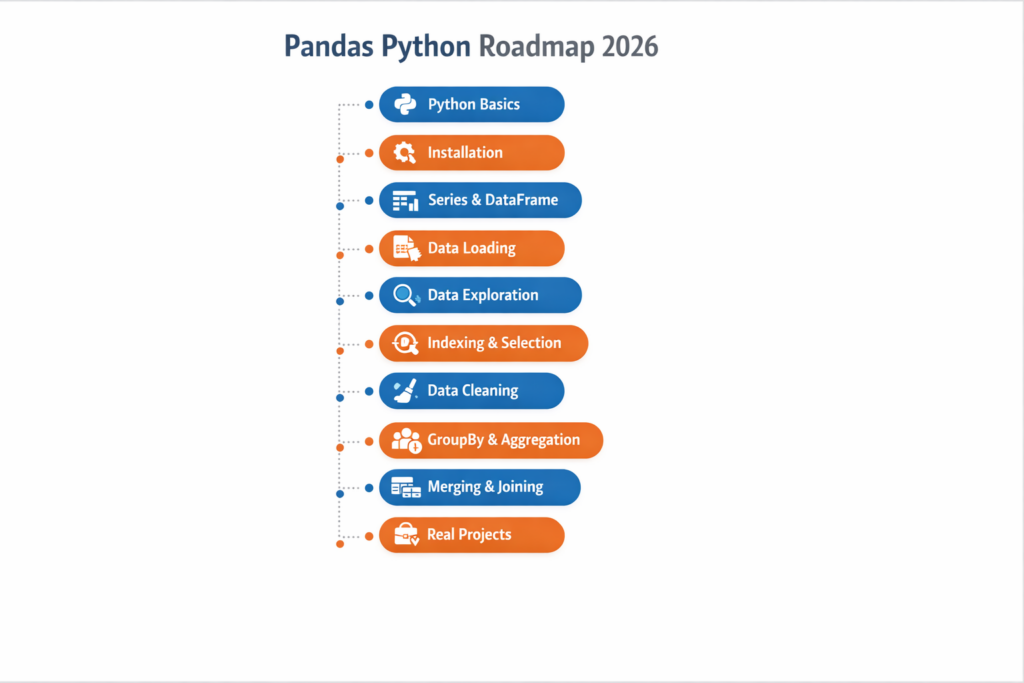
This is a clear, step by step Pandas Python roadmap for 2026, designed to take you from beginner to confident data handler without overwhelming you.
What Is Pandas in Python
Before diving into the roadmap, let’s understand why Pandas matters.
Pandas is an open source Python library built for data manipulation and analysis. Created by Wes McKinney, it has become the standard for working with structured data.
At its core, Pandas provides two essential data structures.
A Series, which represents a single column of data.
A DataFrame, which represents a full table with rows and columns, similar to an Excel sheet but far more powerful.
Pandas is used across industries.
Data scientists clean and prepare data with it. Analysts explore trends. Developers process structured data in applications. Even business teams use it to automate repetitive Excel tasks.
Despite newer tools entering the ecosystem, Pandas continues to dominate because of its massive community, ease of use, and industry demand.
Prerequisites Before Learning Pandas
Many beginners skip this step and end up struggling.
Before learning Pandas, you should be comfortable with basic Python concepts.
You should understand variables such as strings, integers, floats, and booleans. You should know how to work with lists, dictionaries, tuples, and sets. Loops and conditional statements should feel natural. You should also know how to write functions and import libraries.
You do not need advanced Python knowledge.
If you can write a simple script that reads data, processes it, and prints output, you are ready.
If not, spend a couple of weeks strengthening your fundamentals. It will make everything easier.
Step 1: Set Up Your Environment
Start by setting up your working environment correctly.
The most beginner friendly option is Jupyter Notebook, which allows you to write and run code in small chunks. This makes experimentation easier.
You can install it using Anaconda, which includes Python, Pandas, and other useful tools.
Alternatively, you can use VS Code if you are already comfortable with it.
Install Pandas and NumPy, then run a simple import test to ensure everything works.
Step 2: Understand Series and DataFrame
This is the foundation of everything in Pandas.
A Series is a one dimensional labeled array.
A DataFrame is a two dimensional table made up of multiple Series.
You should learn how to create them from lists, dictionaries, and arrays. Understand how indexing works and how to inspect structure using attributes like shape and data types.
Do not rush this step.
A strong understanding here will make the rest of Pandas significantly easier.
Step 3: Load Data from Real Sources
In real scenarios, you will not create data manually.
You will load it from external sources.
Start with CSV files, then move to Excel and JSON. Learn how to handle headers, separators, and encoding issues.
Also understand how Pandas connects with databases. Even basic awareness of this will help later in your career.
Step 4: Explore Your Data
Once data is loaded, the first step is understanding it.
This process is called Exploratory Data Analysis.
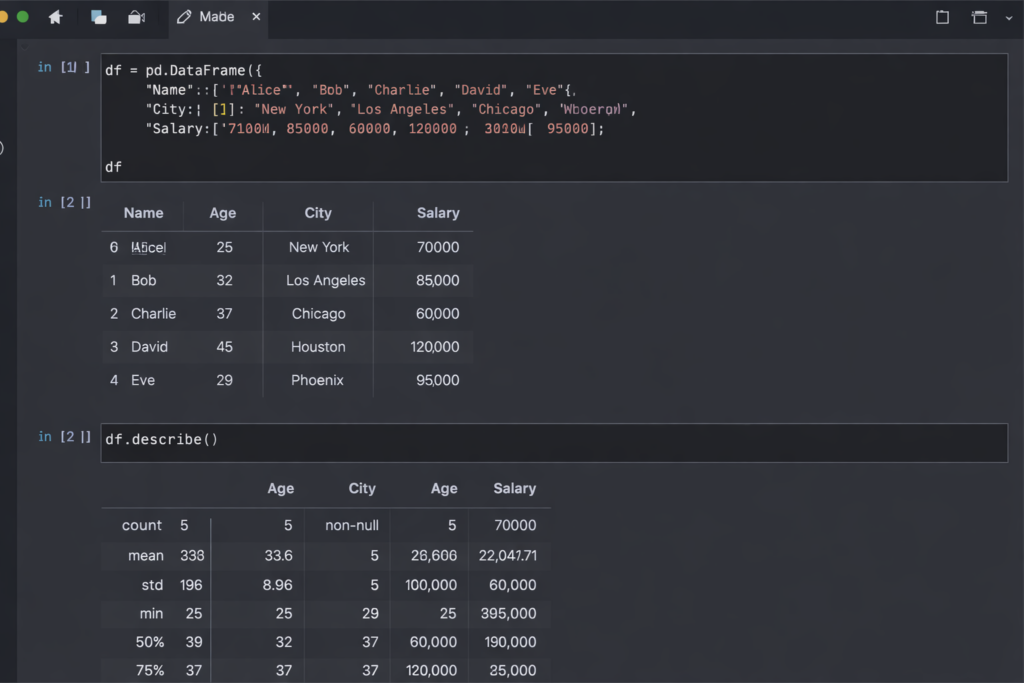
Learn how to view sample rows, check data types, and generate summary statistics.
Focus on identifying missing values, duplicates, and distributions.
This step might seem simple, but it is one of the most important skills in real world data work.
Step 5: Indexing and Filtering
This is where Pandas becomes powerful.
You will constantly select specific rows and columns.
Learn how to select single and multiple columns. Understand row selection using labels and positions. Most importantly, master Boolean filtering to extract data based on conditions.
This is a core skill you will use in every project.
Step 6: Data Cleaning
Real world data is messy.
You will encounter missing values, incorrect data types, duplicates, and inconsistent formatting.
Learn how to detect and handle missing data. Understand when to drop values and when to fill them.
Also learn to clean text data and convert columns into correct formats.
This step separates beginners from professionals.
Step 7: GroupBy and Aggregation
This is one of the most powerful features in Pandas.
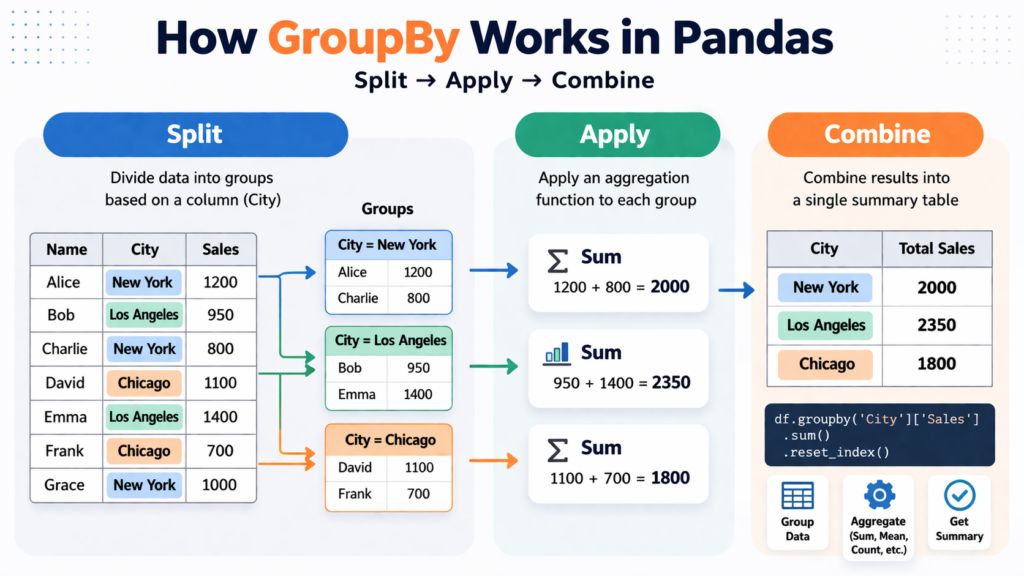
GroupBy allows you to split data into groups, apply calculations, and combine results.
You can calculate totals, averages, counts, and more across categories.
It is similar to pivot tables but more flexible.
Mastering this will significantly improve your analytical ability.
Step 8: Merging and Combining Data
In real projects, data comes from multiple sources.
You need to combine them.
Learn concatenation for stacking data. Then focus on merging, which works like SQL joins.
Understand inner, left, right, and outer merges clearly.
This is a highly practical skill that frequently appears in interviews and real work.
Step 9: Work with Dates and Time
Time based data is everywhere.
Learn how to convert strings into datetime format. Extract useful components like year and month. Perform time based filtering and analysis.
Also explore resampling and rolling calculations.
These concepts are essential for real world datasets.
Step 10: Visualization
Pandas allows quick data visualization.
You can create line charts, bar graphs, histograms, and scatter plots directly from DataFrames.
The goal is not perfection but speed.
You should be able to visualize trends instantly while analyzing data.
Step 11: Performance and Best Practices
As datasets grow, efficiency becomes important.
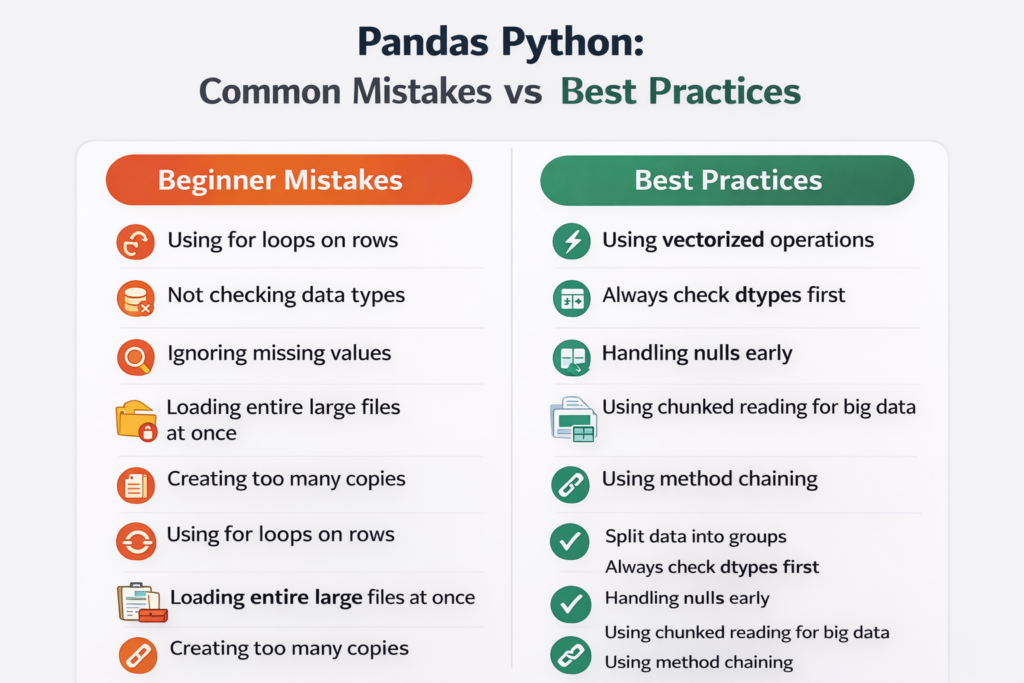
Avoid loops and use vectorized operations.
Learn to use apply for custom logic. Understand method chaining for cleaner code.
Also focus on memory optimization and handling large datasets in chunks.
These practices will make your code faster and more professional.
Step 12: Build Real Projects
This is where learning becomes skill.
Start with exploratory analysis on public datasets. Move to sales analysis and data cleaning projects. Then work on combining multiple datasets.
Finally, build an automated reporting script.
Projects help you apply everything you have learned and build a strong portfolio.
How Long Does It Take to Learn Pandas
With consistent effort, you can learn the basics in three to four weeks.
To become comfortable, expect around one to two months of practice.
For advanced skills, plan for four to six months.
The key is consistency.
Even one hour daily can produce strong results over time.
Final Thoughts
Pandas is not just a library. It is a core skill for anyone working with data in Python.
If you follow a structured roadmap, practice regularly, and build projects, you will not just learn Pandas. You will become confident in handling real world data.
Start small, stay consistent, and keep building.
Start Your Pandas Python Journey Today
You now have a complete, structured roadmap to learn Pandas Python in 2026. The path is clear. Start with Python basics, set up your environment, learn Series and DataFrame, then progressively build your skills through data loading, exploration, cleaning, GroupBy, merging, time series, and finally real-world projects.
The biggest mistake you can make right now is bookmarking this page and coming back later. Pick the step you are currently at, open a Jupyter Notebook, and start working through it today.
If you prefer learning through video, I cover Python and data topics on my YouTube channel where I break down concepts in a simple, beginner-friendly way. Subscribe to stay updated with new tutorials and courses.
Subscribe here: https://www.youtube.com/@codeanddebug
