

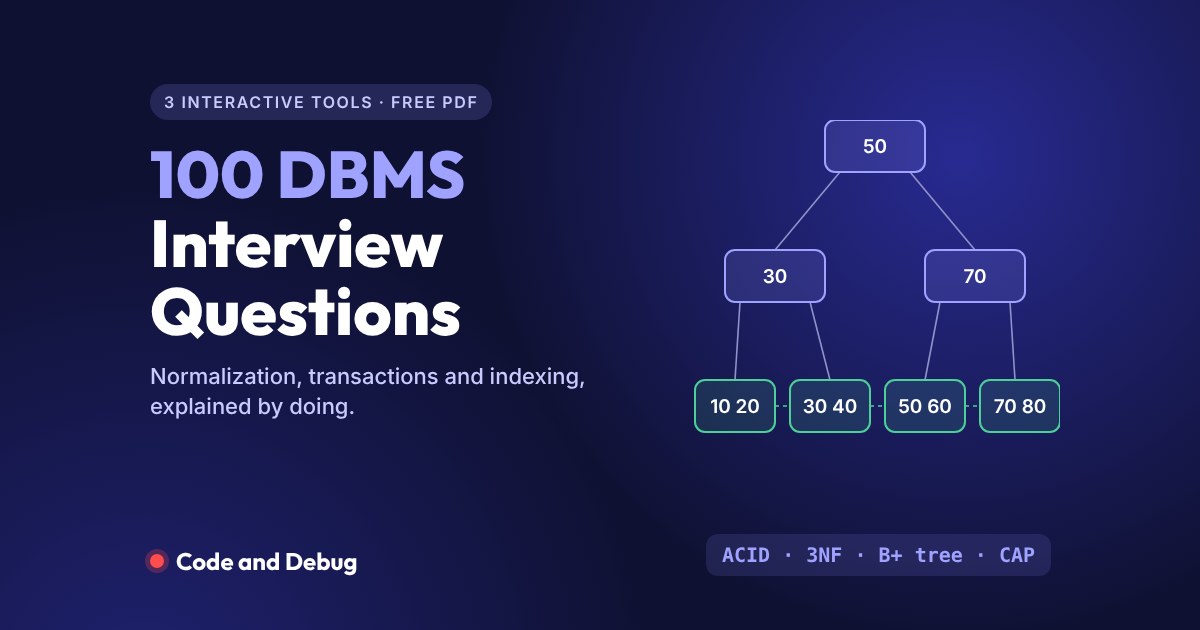
DBMS is one of the four core subjects in almost every Indian tech interview, next to DSA, operating systems and computer networks. Campus drives at TCS, Infosys, Wipro, Accenture and Cognizant ask it in the technical round, and product companies return to it when they discuss how you would store and scale data.
This page has the 100 DBMS interview questions asked most often, with clear answers, grouped for freshers, intermediate and experienced candidates. It covers the ER model, keys, normalization, transactions, concurrency, indexing, recovery and distributed databases. Three topics are hard to learn from text alone, so they have interactive tools: you can normalize a table step by step, watch two transactions collide, and build a B+ tree index key by key. Prefer to study offline? Download all 100 questions as a free PDF.
What you will find on this page
- 100 questions with answers in three levels: 40 for freshers, 35 intermediate, 25 for experienced candidates.
- Three interactive tools: a normalization walkthrough, a transaction simulator and a B+ tree index visualizer.
- Practice tools: filters, search, practice mode that hides answers, flashcards and progress tracking.
- Tested SQL: every example marked with an output was run, and the output is real.
- A free 40-page PDF and a 10-question quiz at the end.
Helpful to know first (each opens our own guide):
Study these 100 questions your way
Filter the DBMS interview questions, search, hide answers to test yourself, or switch to flashcards. Your progress is saved in this browser.
No questions match these filters. Try another topic or clear the search.
How to prepare for a DBMS interview
- Start with keys and normalization. They come up in nearly every fresher interview. Be ready to normalize a small table on paper and name the candidate keys.
- Learn ACID with one example. A bank transfer explains atomicity, consistency, isolation and durability better than four definitions.
- Understand indexing well enough to explain why. “An index makes queries faster” is a weak answer. “A B+ tree finds a row in 3 page reads instead of scanning a million rows” is a strong one.
- Practise SQL alongside the theory. Most DBMS rounds include two or three queries. Use our 100 SQL interview questions, where every query runs in the browser.
- For experienced roles, connect theory to production. Expect questions on isolation levels in the database you use, slow queries, replication lag and when you would shard.
These are the topics that come up most in DBMS interview questions, and where to find them on this page:
| Topic | Asked in | On this page |
|---|---|---|
| Keys and the relational model | Almost every fresher interview | 11 questions, starting at Q21 |
| ER model | Campus placements, design rounds | 7 questions, starting at Q14 |
| Normalization | All levels; expect a worked example | 14 questions, starting at Q31 |
| Transactions and ACID | All levels | 4 questions, starting at Q37 |
| Concurrency, locks and deadlocks | Intermediate and experienced | 11 questions, starting at Q50 |
| Indexing and B+ trees | All levels; deep for backend roles | 9 questions, starting at Q39 |
| Recovery and logging | Experienced, database-heavy roles | 5 questions, starting at Q76 |
| Scaling, replication, CAP, NoSQL | Experienced, system design rounds | 8 questions, starting at Q89 |
Learn the three hardest DBMS topics by doing
Normalization, concurrency and indexing are where most candidates lose marks in DBMS interview questions, because the textbook definitions are easy to memorise and hard to apply. Spend ten minutes with these three tools before you read the questions. The answers will make far more sense.
Normalization: take one table from unnormalized to BCNF
Here is a single table that mixes students, courses and instructors. At each step, find what is wrong with it, then apply the fix and see the table split. Underlined columns are the primary key.
Normalize a table step by step
Answer the question at each stage to move to the next normal form.
Transactions: watch concurrency problems happen
Two transactions, T1 and T2, run at the same time against the same data. Pick a problem and an isolation level, then step through the statements in the order the database runs them. Change the isolation level and run it again to see which level prevents which problem.
Transaction simulator
Each row is one moment in time. The left column is transaction T1 and the right column is T2.
Indexing: build a B+ tree and search it
This is the structure behind almost every database index. Each box is a node (one disk page) that holds up to 3 keys. Insert numbers and watch a full node split and push a key up. Then search for a key and count how few nodes the database has to read. The dashed arrows are the links between leaves that make range queries fast.
B+ tree index visualizer
Up to 3 keys per node and 20 keys in total. Real databases hold hundreds of keys per node.
DBMS interview questions for freshers
These 40 basic DBMS interview questions cover what campus placements and first job interviews ask: what a DBMS is, the ER model, keys, the relational model, normalization up to 3NF, and the first questions on transactions, ACID, indexes and views.
1. What is a database?
A database is an organised collection of related data stored so that it can be searched, updated and managed easily. A college database, for example, stores students, courses, faculty and marks, and the links between them.
The key word is organised. A folder full of random Excel files holds data, but a database adds structure, rules and a way to ask questions of the data quickly.
2. What is a DBMS? Give some examples.
A Database Management System (DBMS) is the software that sits between users or applications and the stored data. It lets you define, store, read, update and protect data without worrying about how the files are laid out on disk.
- It handles: storage, querying, security, backup and recovery, and many users working at the same time.
- Examples: MySQL, PostgreSQL, Oracle, Microsoft SQL Server, SQLite, MongoDB.
3. What are the problems with a file system that a DBMS solves?
Before DBMS software, each application kept its own files. That caused several problems:
- Data redundancy: the same data is stored in many files.
- Inconsistency: one copy is updated and the others are not.
- Difficult access: every new question needs a new program.
- No concurrency control: two users editing the same file can overwrite each other.
- Weak security: you cannot easily give access to only some of the data.
- No atomicity or recovery: a crash in the middle of an update leaves the data half changed.
A DBMS solves these with a central store, a query language, constraints, transactions, locking and backups.
4. What is the difference between DBMS and RDBMS?
An RDBMS (Relational DBMS) is a DBMS that stores data in tables (relations) and links them with keys. All RDBMSs are DBMSs, but not every DBMS is relational.
| Point | DBMS | RDBMS |
|---|---|---|
| Storage | Files, hierarchies or other forms | Tables with rows and columns |
| Relationships | Not enforced by the system | Enforced with primary and foreign keys |
| Normalization | Usually not supported | Supported |
| ACID transactions | Often limited | Fully supported |
| Users and data size | Small, often single user | Large, many users |
| Examples | File-based systems, XML stores | MySQL, PostgreSQL, Oracle |
5. What are the advantages and disadvantages of a DBMS?
Advantages:
- Less redundancy and better consistency.
- Data sharing with controlled, multi-user access.
- Security through users, roles and permissions.
- Integrity through constraints.
- Backup and crash recovery.
- Data independence: storage can change without rewriting applications.
Disadvantages:
- Cost of software, hardware and trained staff.
- More complexity than plain files.
- Overhead that is not worth it for very small, single-user data.
- A central database is a single point of failure unless it is replicated.
6. What are the different types of DBMS?
- Hierarchical: data is a tree of parent and child records. Example: IBM IMS.
- Network: records form a graph, so a child can have many parents. Example: IDMS.
- Relational: data is stored in tables linked by keys. Examples: MySQL, PostgreSQL, Oracle.
- Object-oriented: data is stored as objects with attributes and methods. Example: db4o.
- NoSQL: key-value, document, column-family and graph stores built for flexible schemas and horizontal scale. Examples: Redis, MongoDB, Cassandra, Neo4j.
Most DBMS interview questions are about the relational model, because it is still what most business systems run on.
7. What is the difference between a schema and an instance?
The schema is the design of the database: its tables, columns, data types and constraints. It changes rarely. The instance is the actual data stored in the database at one moment, and it changes every time a row is inserted, updated or deleted.
Think of the schema as the blank form and the instance as the filled-in forms collected so far.
8. Explain the three-schema architecture (levels of data abstraction).
The three-schema architecture separates how users see data from how it is stored:
- External (view) level: what each user or application sees. A student portal sees marks but not staff salaries.
- Conceptual (logical) level: the complete logical design: all tables, relationships and constraints. This is what the database designer works with.
- Internal (physical) level: how data is actually stored: files, pages, indexes and compression.
The purpose is data independence: a change at one level should not force changes at the level above it.
9. What is data independence? Explain logical and physical data independence.
Data independence is the ability to change the schema at one level without changing the schema at the next higher level.
- Physical data independence: you can change how data is stored (add an index, move to SSD, change the file organisation) without touching the logical schema or the applications. This is easy to achieve.
- Logical data independence: you can change the logical schema (add a column, split a table) without rewriting the applications that use the external views. This is harder, because applications often depend on the table structure.
10. What are DDL, DML, DCL and TCL?
SQL commands are grouped by what they do:
| Group | Purpose | Commands |
|---|---|---|
| DDL (Data Definition Language) | Define and change structure | CREATE, ALTER, DROP, TRUNCATE |
| DML (Data Manipulation Language) | Change the data | INSERT, UPDATE, DELETE |
| DQL (Data Query Language) | Read the data | SELECT |
| DCL (Data Control Language) | Control access | GRANT, REVOKE |
| TCL (Transaction Control Language) | Manage transactions | COMMIT, ROLLBACK, SAVEPOINT |
For the queries themselves, see our 100 SQL interview questions, where every query runs in the browser.
11. What is a data model? Name the common ones.
A data model is a set of concepts for describing data, the relationships between data and the rules it must follow. It is the blueprint used to design a database.
- Conceptual models describe what the business needs. The ER model is the best known.
- Logical (representational) models describe how the data is structured: relational, hierarchical, network, object-oriented.
- Physical models describe how the data is stored on disk: record formats, file organisation and indexes.
A typical design moves from an ER diagram to relational tables to physical tuning.
12. What is the difference between 2-tier and 3-tier database architecture?
- 2-tier: the client application talks directly to the database server. It is simple and fast for small internal tools, but every client needs database credentials, and business logic lives in the client.
- 3-tier: a middle application server sits between the client and the database. The client (browser or mobile app) talks only to the application server, which holds the business logic and talks to the database.
Almost all web applications use 3-tier, because it is more secure (the database is never exposed to users), easier to scale and easier to maintain.
13. What is metadata? What is a data dictionary?
Metadata is data about data. For a table, the metadata is its name, column names, data types, constraints, indexes and owner.
The data dictionary (also called the system catalog) is where the DBMS stores this metadata. It is itself a set of tables that you can query. In MySQL and PostgreSQL you can read it through information_schema, for example information_schema.tables and information_schema.columns. The query optimizer also reads statistics from the catalog to choose a plan.
14. What is an ER model and an ER diagram?
The Entity-Relationship (ER) model is a high-level way to design a database before creating any tables. It describes the real-world things you need to store (entities), their properties (attributes) and how they are connected (relationships).
An ER diagram is the drawing of that model. In the classic notation, rectangles are entities, ovals are attributes, diamonds are relationships, and an underlined attribute is the key. The diagram is then converted into relational tables.
15. What are an entity, an entity set and an attribute?
- Entity: a real-world object that can be identified distinctly, such as one particular student.
- Entity set (entity type): a collection of similar entities, such as all students. It becomes a table.
- Attribute: a property that describes an entity, such as roll number, name or date of birth. It becomes a column.
So in the Student table, the table is the entity set, each row is an entity and each column is an attribute.
16. What are the types of attributes in the ER model?
| Type | Meaning | Example |
|---|---|---|
| Simple (atomic) | Cannot be divided further | Roll number |
| Composite | Made of smaller parts | Name = first name + last name |
| Single-valued | One value per entity | Date of birth |
| Multi-valued | Can hold several values | Phone numbers |
| Derived | Calculated from another attribute | Age, from date of birth |
| Key | Uniquely identifies the entity | Roll number |
In ER diagrams a multi-valued attribute is drawn with a double oval and a derived attribute with a dashed oval.
17. What is the difference between a strong entity and a weak entity?
A strong entity has its own primary key and can exist on its own, such as Employee with an employee ID.
A weak entity has no key of its own. It is identified by a partial key (discriminator) combined with the key of the strong entity it depends on. A Dependent (child or spouse) of an employee is the standard example: a dependent’s name is unique only within one employee, so its key is (employee ID, dependent name).
A weak entity always has total participation in its identifying relationship. It is drawn with a double rectangle.
18. What are the types of relationships (cardinality) between entities?
- One-to-one (1:1): one person has one passport.
- One-to-many (1:N): one department has many employees. Put the department’s key in the employee table as a foreign key.
- Many-to-many (M:N): a student takes many courses and a course has many students. A relational table cannot hold this directly, so you create a third junction table whose key combines both foreign keys.
The example below builds a many-to-many relationship and reads it back.
CREATE TABLE student (student_id INTEGER PRIMARY KEY, name TEXT);
CREATE TABLE course  (course_id TEXT PRIMARY KEY, title TEXT);
CREATE TABLE enrolment (
  student_id INTEGER REFERENCES student(student_id),
  course_id  TEXT    REFERENCES course(course_id),
  PRIMARY KEY (student_id, course_id)
);
INSERT INTO student VALUES (1, 'Asha'), (2, 'Rohan');
INSERT INTO course  VALUES ('C101', 'DBMS'), ('C102', 'OS');
INSERT INTO enrolment VALUES (1, 'C101'), (1, 'C102'), (2, 'C101');

SELECT s.name, c.title
FROM enrolment e
JOIN student s ON s.student_id = e.student_id
JOIN course  c ON c.course_id  = e.course_id
ORDER BY s.name, c.title;Output:
name  | title
------+------
Asha  | DBMS
Asha  | OS
Rohan | DBMS19. What are generalization, specialization and aggregation?
- Generalization is bottom-up: common attributes of several entities are combined into a higher-level entity. Car and Truck are generalized into Vehicle.
- Specialization is top-down: an entity is divided into sub-groups with their own extra attributes. Employee is specialized into Developer and Manager.
- Aggregation treats a relationship itself as an entity so that it can take part in another relationship. If an Employee works on a Project, and that pairing uses a Machine, the works-on relationship is aggregated and linked to Machine.
Generalization and specialization both produce an “is-a” hierarchy. They differ only in the direction you design in.
20. What is the difference between total and partial participation?
Participation says whether every entity must take part in a relationship.
- Total participation: every entity in the set must be related to at least one entity on the other side. Every loan must belong to a customer. It is drawn with a double line.
- Partial participation: some entities may not take part. Not every customer has a loan. It is drawn with a single line.
In tables, total participation usually becomes a NOT NULL foreign key, while partial participation allows the foreign key to be NULL.
21. Define relation, tuple, attribute, degree and cardinality.
| Term | Meaning | Everyday word |
|---|---|---|
| Relation | A set of tuples with the same attributes | Table |
| Tuple | One record in the relation | Row |
| Attribute | A named property | Column |
| Domain | The set of allowed values for an attribute | Data type and rules |
| Degree | Number of attributes | Number of columns |
| Cardinality | Number of tuples | Number of rows |
A table with 5 columns and 200 rows has degree 5 and cardinality 200. Do not confuse this with the cardinality of a relationship (1:1, 1:N, M:N).
22. What is a key? What are the different types of keys in DBMS?
A key is an attribute, or a set of attributes, used to identify rows in a table or to link tables together.
| Key | Meaning |
|---|---|
| Super key | Any set of attributes that uniquely identifies a row |
| Candidate key | A minimal super key: remove any attribute and it stops being unique |
| Primary key | The candidate key chosen to identify rows. Unique and never NULL |
| Alternate key | A candidate key that was not chosen as the primary key |
| Composite key | A key made of two or more attributes |
| Foreign key | An attribute that refers to the primary key of another table |
| Surrogate key | An artificial key, such as an auto-increment ID |
23. What is the difference between a super key and a candidate key?
Take Student(roll_no, email, name), where roll_no and email are each unique.
- Super keys: {roll_no}, {email}, {roll_no, name}, {roll_no, email}, {email, name} and so on. Any set that contains a unique attribute is a super key.
- Candidate keys: only {roll_no} and {email}. They are minimal: nothing can be removed from them.
Every candidate key is a super key, but a super key with extra attributes is not a candidate key. One candidate key becomes the primary key (roll_no) and the other becomes an alternate key (email).
24. What is the difference between a primary key and a unique key?
| Point | Primary key | Unique key |
|---|---|---|
| NULL values | Not allowed | Allowed (how many depends on the database) |
| Number per table | Only one | Many |
| Purpose | Identify each row | Prevent duplicate values in a column |
| Default index | Usually clustered | Non-clustered |
The example shows both constraints rejecting a duplicate.
CREATE TABLE users (
  user_id INTEGER PRIMARY KEY,
  email   TEXT UNIQUE,
  name    TEXT
);
INSERT INTO users VALUES (1, 'as**@*****le.com', 'Asha');
INSERT INTO users VALUES (2, NULL, 'Rohan');
INSERT INTO users VALUES (1, 'ne*@*****le.com', 'Duplicate id');
INSERT INTO users VALUES (3, 'as**@*****le.com', 'Duplicate email');
SELECT * FROM users;
Output:
Error on: INSERT INTO users VALUES (1, 'ne*@*****le.com', 'Duplicate i...
  UNIQUE constraint failed: users.user_id

Error on: INSERT INTO users VALUES (3, 'as**@*****le.com', 'Duplicate ...
  UNIQUE constraint failed: users.email

user_id | email            | name
--------+------------------+------
1       | as**@*****le.com | Asha
2 | NULL | Rohan25. What is a foreign key? What is referential integrity?
A foreign key is a column in one table (the child) that refers to the primary key of another table (the parent). It is how tables are linked.
Referential integrity is the rule that every foreign key value must either match an existing parent row or be NULL. The database enforces it: you cannot insert an employee into a department that does not exist, and you cannot delete a department that still has employees unless you say what should happen with ON DELETE CASCADE, SET NULL or RESTRICT.
CREATE TABLE department (dept_id INTEGER PRIMARY KEY, name TEXT);
CREATE TABLE employee (
  emp_id  INTEGER PRIMARY KEY,
  name    TEXT,
  dept_id INTEGER REFERENCES department(dept_id)
);
INSERT INTO department VALUES (10, 'Engineering');
INSERT INTO employee VALUES (1, 'Asha', 10);
INSERT INTO employee VALUES (2, 'Rohan', 99);
DELETE FROM department WHERE dept_id = 10;
SELECT * FROM employee;Output:
Error on: INSERT INTO employee VALUES (2, 'Rohan', 99);...
  FOREIGN KEY constraint failed

Error on: DELETE FROM department WHERE dept_id = 10;...
  FOREIGN KEY constraint failed

emp_id | name | dept_id
-------+------+--------
1 | Asha | 1026. What is a composite key? What is the difference between a natural key and a surrogate key?
A composite key uses two or more columns together to identify a row. In an enrolment table, neither student_id nor course_id is unique alone, but the pair (student_id, course_id) is.
- Natural key: a key that already has business meaning, such as an email address or a vehicle registration number.
- Surrogate key: a system-generated value with no business meaning, such as an auto-increment ID or a UUID.
Surrogate keys are popular because they never change, are small, and make joins simple. Natural keys can change (people change email addresses), which then forces updates in every child table. A common design uses a surrogate primary key and adds a unique constraint on the natural key.
27. What are integrity constraints? Name the main types.
Integrity constraints are rules that keep the data correct. The DBMS checks them on every insert, update and delete.
- Domain constraint: each value must belong to the column’s domain (data type, range, format). Enforced with data types,
CHECKandNOT NULL. - Entity integrity: the primary key must be unique and can never be NULL.
- Referential integrity: a foreign key must match an existing primary key value or be NULL.
- Key constraint: no two rows can have the same value for a key.
28. What is NULL? Is it the same as zero or an empty string?
NULL means the value is missing or unknown. It is not zero, and it is not an empty string. A student whose marks are NULL has not been graded; a student whose marks are 0 scored zero.
- Any comparison with NULL gives UNKNOWN, so
marks = NULLnever matches. UseIS NULLorIS NOT NULL. - Arithmetic with NULL gives NULL.
- Aggregate functions such as SUM and AVG skip NULLs, and
COUNT(column)does not count them.
This three-valued logic (TRUE, FALSE, UNKNOWN) is a common source of bugs and a favourite interview follow-up.
29. What is relational algebra? Name its basic operations.
Relational algebra is a procedural query language: it describes how to get a result as a sequence of operations on tables. SQL is built on top of it, and the query optimizer rewrites SQL into relational algebra internally.
| Operation | Symbol | What it does |
|---|---|---|
| Selection | σ | Picks rows that satisfy a condition (SQL WHERE) |
| Projection | π | Picks columns (SQL SELECT list) |
| Union | ∪ | Rows in either table |
| Set difference | − | Rows in the first table but not the second |
| Cartesian product | × | Every row paired with every row |
| Rename | ρ | Renames a table or column |
Join, intersection and division are derived from these six.
30. What is a join? What are the types of joins?
A join combines rows from two tables using a related column, usually a foreign key and the primary key it points to.
- Inner join: only rows that match in both tables.
- Left outer join: all rows from the left table, with NULLs where the right table has no match.
- Right outer join: all rows from the right table.
- Full outer join: all rows from both tables.
- Cross join: every combination of rows (Cartesian product).
- Self join: a table joined to itself, for example employees to their managers.
- Natural join: an inner join on all columns with the same name.
Our SQL interview questions page has runnable examples of every join.
31. What is normalization? Why is it needed?
Normalization is the process of organising tables so that each fact is stored in exactly one place. You do it by splitting a large table into smaller, related tables according to a set of rules called normal forms.
It is needed to:
- remove redundant (repeated) data,
- avoid insert, update and delete anomalies,
- keep data consistent, and
- make the design easier to extend.
The trade-off is that reading data needs more joins. The normalization tool near the top of this page walks one table through every normal form.
Official reference: Database normalization on Wikipedia
32. What are insertion, update and deletion anomalies?
Anomalies are problems caused by storing several facts in one table. Imagine one table that holds student, course and instructor details together:
- Insertion anomaly: you cannot add a new course until at least one student enrols, because there is no student ID to fill in.
- Update anomaly: an instructor’s room number is repeated on every enrolment row. Change it in some rows and miss others, and the data contradicts itself.
- Deletion anomaly: when the last student drops a course, deleting that row also deletes the only record of the course and its instructor.
Normalization removes all three by giving each fact its own table.
33. What is a functional dependency?
A functional dependency X → Y means that the value of X decides the value of Y. If two rows have the same X, they must have the same Y. X is called the determinant.
In a Student table, roll_no → name holds, because one roll number belongs to one student. name → roll_no does not hold, because two students can share a name.
Functional dependencies come from the meaning of the data, not from the rows you happen to have today. They are the basis of every normal form.
34. What is First Normal Form (1NF)?
A table is in 1NF when:
- every cell holds a single, atomic value (no lists or repeating groups),
- every column holds values of one type, and
- every row can be identified uniquely.
Not in 1NF:
| student_id | name | courses |
|---|---|---|
| 1 | Asha | DBMS, OS |
In 1NF: one row per student and course.
| student_id | name | course |
|---|---|---|
| 1 | Asha | DBMS |
| 1 | Asha | OS |
35. What is Second Normal Form (2NF)?
A table is in 2NF when it is in 1NF and has no partial dependency: no non-key attribute depends on only part of a composite key.
In Enrolment(student_id, course_id, student_name, grade) the key is (student_id, course_id). But student_name depends on student_id alone. That is a partial dependency, so the name repeats for every course the student takes.
Fix it by splitting: Student(student_id, student_name) and Enrolment(student_id, course_id, grade). A table whose key is a single column is automatically in 2NF once it is in 1NF.
36. What is Third Normal Form (3NF)?
A table is in 3NF when it is in 2NF and has no transitive dependency: no non-key attribute depends on another non-key attribute.
In Employee(emp_id, name, dept_id, dept_name), emp_id → dept_id and dept_id → dept_name. So dept_name depends on the key only through dept_id. The department name is repeated for every employee in that department.
Fix it by splitting: Employee(emp_id, name, dept_id) and Department(dept_id, dept_name).
A common way to remember 3NF: every non-key column must depend on the key, the whole key, and nothing but the key.
37. What is a transaction?
A transaction is a group of one or more operations that the database treats as a single unit of work. Either all of its operations happen or none of them do.
The standard example is a bank transfer of Rs 500 from account A to account B. It has two steps: subtract 500 from A and add 500 to B. If the system crashes after the first step, the money would disappear. Wrapping both steps in a transaction guarantees that a failure rolls everything back.
A transaction starts with BEGIN and ends with COMMIT (make the changes permanent) or ROLLBACK (undo them).
38. What are the ACID properties?
- Atomicity: all or nothing. If any step fails, the whole transaction is undone.
- Consistency: a transaction takes the database from one valid state to another. All constraints still hold afterwards. In a transfer, the total money stays the same.
- Isolation: transactions running at the same time do not interfere. The result is the same as if they ran one after another.
- Durability: once a transaction commits, its changes survive a crash or power failure.
How the DBMS delivers each one: atomicity and durability through logging and recovery, isolation through locking or multi-versioning, and consistency through constraints plus the other three.
Official reference: ACID on Wikipedia
39. What is an index in a database?
An index is a separate data structure that helps the database find rows quickly without scanning the whole table. It works like the index at the back of a book: instead of reading every page, you look up the term and jump to the right page.
- Benefit: much faster searches, joins and sorting on the indexed column.
- Cost: extra disk space, and slower inserts, updates and deletes, because every index must be updated too.
Most relational databases build indexes as B+ trees. The index visualizer on this page lets you insert keys and watch one being built.
40. What is a view?
A view is a saved query that behaves like a virtual table. It stores no data of its own. Each time you query the view, the database runs the underlying query.
- Security: expose only some columns or rows, for example hide salaries.
- Simplicity: hide a complex join behind a simple name.
- Stability: applications keep working if the underlying tables change, as long as the view still returns the same columns.
CREATE TABLE employee (emp_id INTEGER PRIMARY KEY, name TEXT, dept TEXT, salary INTEGER);
INSERT INTO employee VALUES (1, 'Asha', 'Engineering', 90000),
                            (2, 'Rohan', 'Sales', 55000),
                            (3, 'Meera', 'Engineering', 82000);

CREATE VIEW engineering_staff AS
SELECT emp_id, name FROM employee WHERE dept = 'Engineering';

SELECT * FROM engineering_staff;Output:
emp_id | name
-------+------
1      | Asha
3      | Meera
Intermediate DBMS interview questions
These 35 intermediate DBMS interview questions go deeper: BCNF and higher normal forms, finding candidate keys, serializability, isolation levels, locking, deadlocks, MVCC, how indexes work internally, and database objects such as views, triggers and stored procedures.
41. What is BCNF? How is it different from 3NF?
A table is in Boyce-Codd Normal Form (BCNF) when, for every non-trivial functional dependency X → Y, X is a super key. In short: every determinant must be a key.
3NF allows one exception that BCNF does not: X → Y is acceptable in 3NF if Y is part of some candidate key (a prime attribute), even when X is not a super key.
Example: Tutoring(student, subject, tutor), where each tutor teaches only one subject (tutor → subject) and the key is (student, subject). The table is in 3NF because subject is part of the key, but it is not in BCNF because tutor is not a super key. Split it into TutorSubject(tutor, subject) and StudentTutor(student, tutor).
BCNF is stricter, but a BCNF decomposition can lose a dependency, which 3NF never does.
42. What is a multivalued dependency? What is 4NF?
A multivalued dependency X →→ Y exists when one value of X is linked to a set of Y values, and that set is independent of the other attributes in the table.
Take Employee(emp, skill, language). An employee’s skills and languages have nothing to do with each other, yet to store 2 skills and 2 languages you need 4 rows, one for every combination. Here emp →→ skill and emp →→ language.
A table is in 4NF when it is in BCNF and has no non-trivial multivalued dependency unless the determinant is a super key. The fix is to split into EmpSkill(emp, skill) and EmpLanguage(emp, language).
43. What is 5NF (Project-Join Normal Form)?
A table is in 5NF when it is in 4NF and cannot be broken into smaller tables and joined back without losing or inventing rows, except where the split follows the candidate keys. It deals with join dependencies.
The classic case is a three-way relationship such as Supplier, Part and Project, where a business rule says: if a supplier supplies a part, and that part is used in a project, and the supplier serves that project, then the supplier supplies that part to that project. Under that rule the single table can be replaced by three two-column tables.
In practice 5NF is rare. Most production schemas stop at 3NF or BCNF, and interviewers mainly check that you know it exists and what problem it addresses.
44. What are the types of functional dependencies?
| Type | Meaning | Example |
|---|---|---|
| Trivial | Y is a subset of X | {roll_no, name} → name |
| Non-trivial | Y is not a subset of X | roll_no → name |
| Full | Y depends on all of a composite X | {student_id, course_id} → grade |
| Partial | Y depends on only part of a composite key | {student_id, course_id} → student_name |
| Transitive | X → Y and Y → Z, so X → Z through Y | emp_id → dept_id → dept_name |
| Multivalued | X decides a set of Y values independently | emp →→ skill |
Partial dependencies are removed in 2NF, transitive ones in 3NF and multivalued ones in 4NF.
45. What is attribute closure? How do you find candidate keys with it?
The closure of a set of attributes X, written X+, is the set of all attributes that X can determine using the given functional dependencies. If X+ contains every attribute of the table, X is a super key. If no smaller subset of X does the same, X is a candidate key.
Example: R(A, B, C, D) with A → B, B → C and CD → A.
- D never appears on the right side of any dependency, so every key must contain D.
- {A, D}+ = A, D, then B (from A → B), then C (from B → C) = all attributes. A key.
- {B, D}+ = B, D, C, then A (from CD → A) = all attributes. A key.
- {C, D}+ = C, D, A, B = all attributes. A key.
The candidate keys are AD, BD and CD. Starting from the attributes that appear on no right-hand side is the trick that saves time in exams.
46. What are Armstrong’s axioms?
Armstrong’s axioms are the inference rules used to derive all functional dependencies that follow from a given set. The three basic rules are sound and complete:
- Reflexivity: if Y is a subset of X, then X → Y.
- Augmentation: if X → Y, then XZ → YZ.
- Transitivity: if X → Y and Y → Z, then X → Z.
Three more rules are derived from them and are handy in problems:
- Union: if X → Y and X → Z, then X → YZ.
- Decomposition: if X → YZ, then X → Y and X → Z.
- Pseudo-transitivity: if X → Y and WY → Z, then WX → Z.
47. What are lossless join decomposition and dependency preservation?
When you split a table R into R1 and R2, a good decomposition has two properties.
- Lossless join: joining R1 and R2 gives back exactly the original rows, with no extra (spurious) rows. The test: the common attributes of R1 and R2 must be a key of R1 or of R2.
- Dependency preservation: every functional dependency of R can be checked inside a single smaller table, without joining. Otherwise the database must join tables on every update to enforce the rule.
Lossless join is compulsory. Dependency preservation is desirable. A 3NF decomposition can always achieve both; a BCNF decomposition is always lossless but may not preserve every dependency.
48. What is denormalization? When would you use it?
Denormalization means deliberately adding redundant data to a normalized design to make reads faster. Examples are storing a customer’s name on each order row, keeping a pre-computed order total, or keeping a summary table.
Use it when:
- reads greatly outnumber writes,
- a frequent query needs many joins and is too slow even with indexes, or
- you are building reports or a data warehouse.
The cost: more storage, slower writes, and the risk that copies drift apart, so you need triggers, application logic or batch jobs to keep them in sync. The usual advice is to normalize first and denormalize only where measurements show a real problem.
49. What are the states of a transaction?
- Active: the transaction is running its operations.
- Partially committed: the last operation has run, but the changes are still in memory and not yet safely on disk.
- Committed: the changes are permanent.
- Failed: an error or crash means normal execution cannot continue.
- Aborted: the transaction has been rolled back and the database is restored to its state before the transaction started. It can then be restarted or killed.
- Terminated: the transaction has finished, after either a commit or an abort.
The paths are: active → partially committed → committed, or active or partially committed → failed → aborted.
50. What is a schedule? What is the difference between serial and serializable schedules?
A schedule is the order in which the operations of several transactions are executed.
- Serial schedule: transactions run one after another with no interleaving. It is always correct but slow, because nothing runs in parallel.
- Non-serial schedule: operations of different transactions are interleaved. It is faster but can give wrong results.
- Serializable schedule: a non-serial schedule whose final result is the same as some serial schedule. It gives the speed of interleaving with the correctness of serial execution.
Concurrency control exists to allow only serializable schedules, or a deliberately weaker level when the application can tolerate it.
51. What is the difference between conflict serializability and view serializability?
Two operations conflict when they belong to different transactions, touch the same data item, and at least one is a write.
- Conflict serializable: the schedule can be turned into a serial schedule by swapping adjacent non-conflicting operations. You test it with a precedence graph: draw an edge Ti → Tj whenever an operation of Ti conflicts with a later operation of Tj. No cycle means conflict serializable.
- View serializable: the schedule reads the same initial values, reads from the same writes, and has the same final write on every item as some serial schedule.
Every conflict serializable schedule is view serializable, but not the other way round. The extra schedules involve blind writes (a write with no read before it). Testing view serializability is NP-complete, so real systems enforce conflict serializability.
52. What problems occur when transactions run concurrently without control?
| Problem | What happens |
|---|---|
| Dirty read | T2 reads a value that T1 has changed but not committed. T1 rolls back, so T2 used data that never existed. |
| Lost update | T1 and T2 both read a value and both write it back. The second write overwrites the first. |
| Non-repeatable read | T1 reads a row twice and gets different values, because T2 updated and committed in between. |
| Phantom read | T1 runs the same query twice and gets extra or missing rows, because T2 inserted or deleted matching rows in between. |
The transaction simulator on this page plays each of these step by step at different isolation levels.
53. What are the transaction isolation levels?
The SQL standard defines four levels. Each higher level prevents more problems but allows less concurrency.
| Isolation level | Dirty read | Non-repeatable read | Phantom read |
|---|---|---|---|
| Read Uncommitted | Possible | Possible | Possible |
| Read Committed | Prevented | Possible | Possible |
| Repeatable Read | Prevented | Prevented | Possible |
| Serializable | Prevented | Prevented | Prevented |
Defaults differ: PostgreSQL, Oracle and SQL Server use Read Committed, while MySQL (InnoDB) uses Repeatable Read. The statement below is MySQL syntax.
Official reference: PostgreSQL docs: Transaction Isolation
SET TRANSACTION ISOLATION LEVEL READ COMMITTED;
START TRANSACTION;
SELECT balance FROM account WHERE account_id = 1;
UPDATE account SET balance = balance - 500 WHERE account_id = 1;
COMMIT;54. What are shared and exclusive locks? What is lock granularity?
- Shared lock (S, read lock): taken to read an item. Many transactions can hold a shared lock on the same item at once.
- Exclusive lock (X, write lock): taken to change an item. Only one transaction can hold it, and nobody else can read or write the item until it is released.
| Requested \ Held | Shared | Exclusive |
|---|---|---|
| Shared | Granted | Wait |
| Exclusive | Wait | Wait |
Granularity is the size of what is locked: a row, a page, a table or the whole database. Row locks allow the most concurrency but cost more memory to track. Table locks are cheap but block everyone. Databases use intention locks (IS, IX) to mix levels safely.
55. What is two-phase locking (2PL)?
Two-phase locking is a protocol that guarantees conflict serializability. Each transaction has two phases:
- Growing phase: it can acquire locks but cannot release any.
- Shrinking phase: it can release locks but cannot acquire any new one.
Variants:
- Strict 2PL: exclusive locks are held until commit or rollback. This prevents dirty reads and cascading rollbacks. Most databases use it.
- Rigorous 2PL: all locks, shared and exclusive, are held until the end.
- Conservative 2PL: all locks are taken before the transaction starts, which avoids deadlock but is rarely practical.
Basic and strict 2PL can still deadlock.
56. What is a deadlock? What conditions cause it?
A deadlock happens when two or more transactions each hold a lock the other needs, so none of them can continue. T1 locks row A and waits for row B, while T2 has locked row B and waits for row A.
All four Coffman conditions must hold at the same time:
- Mutual exclusion: a resource can be held by only one transaction.
- Hold and wait: a transaction holds one resource while waiting for another.
- No preemption: a lock cannot be taken away by force.
- Circular wait: a cycle of transactions, each waiting for the next.
Break any one condition and deadlock cannot occur.
57. How are deadlocks prevented, detected and resolved?
Prevention uses transaction timestamps (older means started earlier):
- Wait-die: an older transaction waits for a younger one; a younger one requesting a lock held by an older one is rolled back (dies).
- Wound-wait: an older transaction forces the younger holder to roll back (wounds it); a younger one waits for an older one.
Detection: the DBMS keeps a wait-for graph with an edge Ti → Tj when Ti waits for Tj. A cycle means deadlock.
Resolution: pick a victim (usually the transaction that is cheapest to undo), roll it back and let the others continue. The application should retry the victim.
In practice, MySQL and PostgreSQL detect deadlocks automatically. Developers reduce them by locking rows in a consistent order, keeping transactions short and using lock timeouts.
58. What is the timestamp ordering protocol?
Timestamp ordering controls concurrency without locks. Every transaction gets a timestamp when it starts, and the protocol makes sure the result is the same as running transactions in timestamp order.
Each data item stores a read timestamp (the youngest transaction that read it) and a write timestamp (the youngest that wrote it).
- A transaction that tries to read an item already written by a younger transaction is rolled back.
- A transaction that tries to write an item already read or written by a younger transaction is rolled back.
There are no locks, so there are no deadlocks, but long transactions may be restarted many times. Thomas’ write rule improves it by simply ignoring an outdated write instead of rolling back.
59. What is the difference between optimistic and pessimistic concurrency control?
| Point | Pessimistic | Optimistic |
|---|---|---|
| Assumption | Conflicts are likely | Conflicts are rare |
| How it works | Lock the data before using it | Work without locks, check for conflicts at commit |
| On conflict | The other transaction waits | One transaction is rolled back and retried |
| Best for | Write-heavy, high-contention data such as seat booking | Read-heavy data with occasional edits |
Optimistic control is often implemented with a version column: read the row with its version, then update with WHERE id = ? AND version = ?. If no row is updated, someone else changed it first, so you reload and retry. Pessimistic control uses SELECT ... FOR UPDATE.
60. What is MVCC (Multi-Version Concurrency Control)?
With MVCC the database keeps several versions of a row instead of overwriting it. Each transaction sees a consistent snapshot of the data as it was when the transaction (or statement) started.
- Readers do not block writers and writers do not block readers. A reader simply sees the older committed version while a writer creates a new one.
- Writers still block other writers on the same row.
- Old versions that no transaction can see any more are cleaned up later: VACUUM in PostgreSQL, the purge thread and undo log in MySQL InnoDB.
PostgreSQL, MySQL InnoDB and Oracle all use MVCC, which is why a long report does not freeze updates in those databases.
Official reference: PostgreSQL docs: Introduction to MVCC
61. What do COMMIT, ROLLBACK and SAVEPOINT do?
- COMMIT makes all changes of the current transaction permanent.
- ROLLBACK undoes all changes since the transaction began.
- SAVEPOINT marks a point inside a transaction.
ROLLBACK TO nameundoes only the work done after that point, and the transaction stays open.
In the example, the second update is undone but the first one is kept and committed.
CREATE TABLE account (account_id INTEGER PRIMARY KEY, owner TEXT, balance INTEGER);
INSERT INTO account VALUES (1, 'Asha', 5000), (2, 'Rohan', 3000);

BEGIN;
UPDATE account SET balance = balance - 500 WHERE account_id = 1;
SAVEPOINT after_debit;
UPDATE account SET balance = balance + 9999 WHERE account_id = 2;
ROLLBACK TO after_debit;
COMMIT;

SELECT * FROM account;Output:
account_id | owner | balance
-----------+-------+--------
1          | Asha  | 4500
2 | Rohan | 300062. How does an index work internally? What types of indexes are there?
An index stores the indexed column values in sorted order, each with a pointer to the row. In most databases it is a B+ tree, so finding a value means walking from the root to a leaf, which takes about 3 or 4 page reads even for millions of rows.
- Primary index: built on the ordering key of the file, usually the primary key.
- Clustered index: the table rows themselves are stored in index order.
- Secondary (non-clustered) index: a separate structure on any other column.
- Unique index: also enforces that values do not repeat.
- Composite index: built on several columns.
- Others: hash, bitmap, full-text and spatial indexes for special cases.
Official reference: PostgreSQL docs: Index Types
63. What is the difference between a clustered and a non-clustered index?
| Point | Clustered index | Non-clustered index |
|---|---|---|
| Row storage | Decides the physical order of the rows | Separate structure; rows stay where they are |
| Leaf level holds | The actual rows | The key plus a pointer to the row |
| Number per table | One | Many |
| Lookup speed | Faster: the data is at the leaf | One extra step to fetch the row |
| Best for | Range queries and sorting on the key | Filters on other columns |
In MySQL InnoDB the primary key is always the clustered index, and every secondary index stores the primary key as its row pointer. That is why a long primary key makes all secondary indexes larger.
64. What is the difference between a dense and a sparse index?
- Dense index: has an entry for every search key value in the table. Lookups are direct, but the index is larger.
- Sparse index: has entries for only some values, usually the first key of each disk block. To find a key you locate the largest entry not greater than it, go to that block and scan forward. It is smaller and cheaper to maintain, but it works only when the data file is sorted on that key.
So a clustered index can be sparse, while a secondary index must be dense, because the rows are not stored in its order.
65. What is the difference between a B-tree and a B+ tree?
| Point | B-tree | B+ tree |
|---|---|---|
| Where data pointers live | In internal nodes and leaves | Only in the leaves |
| Internal nodes | Keys with data | Keys only, used as signposts |
| Leaf nodes | Not linked | Linked in a sorted list |
| Range queries | Need tree traversal back and forth | Find the start, then follow the leaf links |
| Search cost | Can end early at an internal node | Always goes to a leaf, so it is predictable |
| Fan-out | Lower | Higher, so the tree is shorter |
Because internal nodes hold only keys, a B+ tree fits more keys per page, has fewer levels and needs fewer disk reads. That is why databases prefer it.
Official reference: B+ tree on Wikipedia
66. Why do databases use B+ trees instead of binary search trees or hash tables?
- Compared with a binary search tree: a BST has 2 children per node, so a million keys need about 20 levels, and each level can be a separate disk read. A B+ tree node holds hundreds of keys in one disk page, so a million keys need only 3 levels. A plain BST can also become unbalanced, while a B+ tree stays balanced by design.
- Compared with a hash table: hashing is excellent for exact matches but cannot do range queries (
BETWEEN,>), sorting (ORDER BY) or prefix searches (LIKE 'abc%'), because hashing destroys order. B+ tree leaves are sorted and linked, so all of those are cheap.
The design goal is to minimise disk page reads, and a short, wide, sorted tree does that best.
67. When would you use a hash index instead of a B+ tree index?
A hash index applies a hash function to the key and jumps straight to the bucket, so an exact-match lookup is O(1) on average.
- Good for: pure equality lookups such as
WHERE session_id = ?, especially on in-memory tables. - Not usable for: range conditions, sorting, prefix matching, or using only the first column of a multi-column key.
In practice B+ trees are the default almost everywhere, because they handle equality nearly as fast and do everything else too. MySQL offers hash indexes on MEMORY tables, InnoDB builds an internal adaptive hash index automatically, and PostgreSQL supports USING HASH.
68. What is a composite index? What is the leftmost prefix rule?
A composite index is built on two or more columns, for example (city, age). The entries are sorted by the first column, then by the second within each first value, like a phone book sorted by surname and then first name.
The leftmost prefix rule: the index can be used only when the query filters on the leading column or columns. An index on (city, age) helps WHERE city = ? and WHERE city = ? AND age = ?, but not WHERE age = ? alone.
The query plans below (from SQLite) show the index being used for the first query and a full table scan for the second.
CREATE TABLE customer (id INTEGER PRIMARY KEY, name TEXT, city TEXT, age INTEGER);
CREATE INDEX idx_city_age ON customer (city, age);

EXPLAIN QUERY PLAN SELECT name FROM customer WHERE city = 'Surat' AND age = 25;
EXPLAIN QUERY PLAN SELECT name FROM customer WHERE age = 25;Output:
SEARCH customer USING INDEX idx_city_age (city=? AND age=?)

SCAN customer69. When should you not create an index?
Indexes speed up reads but slow down writes and take space. Avoid or reconsider an index when:
- The table is small. A full scan of a few hundred rows is already fast.
- The column has few distinct values (low selectivity), such as gender or a yes/no flag. The index rarely narrows the search enough.
- The table is write-heavy. Every insert, update and delete must also update each index.
- The column is rarely used in WHERE, JOIN or ORDER BY.
- The column is wrapped in a function in queries, for example
WHERE YEAR(order_date) = 2026, which stops a normal index from being used.
Unused indexes are pure cost, so review them regularly.
70. What is the difference between a view and a materialized view?
| Point | View | Materialized view |
|---|---|---|
| Stores data | No, only the query | Yes, the query result is saved on disk |
| Freshness | Always current | As of the last refresh |
| Read speed | Runs the query every time | Fast: reads stored results |
| Maintenance | None | Must be refreshed, on demand or on a schedule |
| Typical use | Security and simpler queries | Heavy reports and dashboards |
PostgreSQL and Oracle support materialized views directly (REFRESH MATERIALIZED VIEW). MySQL does not, so teams build summary tables and refresh them with scheduled jobs.
71. What is the difference between a stored procedure and a function?
| Point | Stored procedure | Function |
|---|---|---|
| Return value | Optional; can return several values through OUT parameters | Must return exactly one value (or a table) |
| Use in a query | No; called with CALL or EXEC | Yes; can be used inside SELECT and WHERE |
| Data changes | Can insert, update and delete | Usually read-only |
| Transactions | Can commit and roll back | Generally cannot |
| Purpose | Run business logic or batch jobs | Compute and return a value |
Both are stored in the database and precompiled, which cuts network round trips and keeps logic close to the data.
72. What is a trigger? When is it used?
A trigger is a block of code that the database runs automatically when a given event happens on a table: an INSERT, UPDATE or DELETE. It can fire BEFORE or AFTER the event, once per row or once per statement.
- Uses: audit logs, enforcing complex rules, keeping summary or denormalized columns in sync.
- Risks: hidden logic that is hard to debug, slower writes, and chains of triggers that fire each other.
The trigger below writes an audit row every time a salary changes.
CREATE TABLE employee (emp_id INTEGER PRIMARY KEY, name TEXT, salary INTEGER);
CREATE TABLE salary_audit (emp_id INTEGER, old_salary INTEGER, new_salary INTEGER);

CREATE TRIGGER trg_salary_change
AFTER UPDATE OF salary ON employee
BEGIN
  INSERT INTO salary_audit VALUES (OLD.emp_id, OLD.salary, NEW.salary);
END;

INSERT INTO employee VALUES (1, 'Asha', 80000);
UPDATE employee SET salary = 90000 WHERE emp_id = 1;

SELECT * FROM salary_audit;Output:
emp_id | old_salary | new_salary
-------+------------+-----------
1 | 80000 | 9000073. What is a cursor?
A cursor is a database object that lets you process the result of a query one row at a time, usually inside a stored procedure. The life cycle is: DECLARE the cursor for a query, OPEN it, FETCH rows in a loop, then CLOSE and DEALLOCATE it.
- Implicit cursor: created automatically by the database for single SQL statements.
- Explicit cursor: declared by the programmer for row-by-row logic.
Cursors are slow compared with set-based SQL, because they handle rows individually and hold locks and memory for longer. The expected answer in interviews is: use a single UPDATE or JOIN whenever possible and keep cursors for cases that truly need per-row procedural logic.
74. What is the difference between relational algebra and relational calculus?
| Point | Relational algebra | Relational calculus |
|---|---|---|
| Style | Procedural: says how to get the result | Declarative: says what result is wanted |
| Built from | Operators such as σ, π, ⋈, ∪ | Logical formulas with ∀, ∃, ∧, ∨ |
| Order of operations | Matters | Not specified |
| Closer to | The query execution plan | SQL as you write it |
Relational calculus has two forms: tuple relational calculus, where variables stand for rows, and domain relational calculus, where variables stand for column values. Both languages have the same expressive power, a result known as Codd’s theorem.
75. What constraints can you define on a column?
- NOT NULL: the column must have a value.
- UNIQUE: no two rows can have the same value.
- PRIMARY KEY: NOT NULL plus UNIQUE, one per table.
- FOREIGN KEY: the value must exist in the parent table.
- CHECK: the value must satisfy a condition.
- DEFAULT: the value used when none is given.
Constraints put the rules in the database itself, so they hold no matter which application writes the data. The example shows DEFAULT filling a value and CHECK and NOT NULL rejecting bad rows.
CREATE TABLE product (
  product_id INTEGER PRIMARY KEY,
  name   TEXT NOT NULL,
  price  INTEGER CHECK (price > 0),
  status TEXT DEFAULT 'active'
);
INSERT INTO product (product_id, name, price) VALUES (1, 'Keyboard', 1500);
INSERT INTO product (product_id, name, price) VALUES (2, 'Mouse', -50);
INSERT INTO product (product_id, name, price) VALUES (3, NULL, 700);
SELECT * FROM product;Output:
Error on: INSERT INTO product (product_id, name, price) VALUES (2, 'Mo...
  CHECK constraint failed: price > 0

Error on: INSERT INTO product (product_id, name, price) VALUES (3, NUL...
  NOT NULL constraint failed: product.name

product_id | name     | price | status
-----------+----------+-------+-------
1          | Keyboard | 1500  | active
DBMS interview questions for experienced professionals
These 25 DBMS interview questions are for candidates with 2 or more years of experience. They cover what happens inside and around a production database: recovery and write-ahead logging, query optimization, storage engines, partitioning, sharding, replication, the CAP theorem, NoSQL, data warehousing and schema design.
76. What kinds of failures can a database face? What is database recovery?
- Transaction failure: a logical error (bad input, constraint violation) or a system condition such as deadlock forces one transaction to abort.
- System crash: power loss, an operating system or DBMS bug. Memory contents are lost but the disk survives.
- Media failure: the disk itself is damaged or lost.
Recovery is the process of bringing the database back to a correct state after a failure: every committed transaction is present (durability) and every uncommitted one is fully removed (atomicity). For crashes the DBMS uses its log; for media failure it restores a backup and then replays the archived log up to the point of failure.
77. What is write-ahead logging (WAL)? What are undo and redo?
Write-ahead logging has one rule: before any change is written to the data files, the log record describing that change must be on disk. And before a commit is confirmed, all log records of that transaction must be on disk.
Each log record stores the old value and the new value, which gives the recovery system two tools:
- Undo: use the old values to remove the changes of transactions that did not commit. This gives atomicity.
- Redo: use the new values to re-apply the changes of committed transactions that had not reached the data files yet. This gives durability.
WAL is also fast: writing to the log is a sequential append, while updating data pages means random writes, which can be done lazily later.
78. What is a checkpoint?
Without checkpoints, recovery would have to read the whole log from the day the database was created. A checkpoint is a point at which the DBMS writes the modified (dirty) pages in memory to disk and records in the log that it did so, along with the list of transactions active at that moment.
After a crash, recovery starts from the most recent checkpoint instead of the beginning of the log:
- transactions that committed before the checkpoint need nothing,
- transactions that committed after it are redone, and
- transactions still active at the crash are undone.
Frequent checkpoints make recovery faster but add I/O during normal work. Modern systems use fuzzy checkpoints, which do not stop transactions while pages are flushed.
79. Explain the ARIES recovery algorithm.
ARIES is the recovery method behind most modern relational databases. It is built on write-ahead logging, and every log record has a log sequence number (LSN). After a crash it runs three phases:
- Analysis: scan forward from the last checkpoint to work out which transactions were active at the crash and which pages were dirty.
- Redo: repeat history. Re-apply every logged change from the earliest dirty page onwards, including changes of transactions that will be undone, so the database is exactly as it was at the moment of the crash.
- Undo: roll back the transactions that never committed, in reverse order. Each undo step writes a compensation log record (CLR), so a second crash during recovery does not repeat the work.
80. What is shadow paging? How does it compare with log-based recovery?
Shadow paging never overwrites a page in place. The database keeps a page table that points to the current pages. A transaction writes its changes to new copies of the pages and builds a new page table, while the old (shadow) table stays untouched. Commit is a single atomic switch of the root pointer to the new table. If a crash happens before that, the shadow table is still valid, so no undo or redo is needed.
| Point | Shadow paging | Log-based (WAL) |
|---|---|---|
| Recovery work | Almost none | Redo and undo from the log |
| Data layout | Pages scatter, hurting sequential reads | Pages stay in place |
| Concurrency | Hard with many transactions | Handles it well |
| Garbage | Old pages must be collected | Log must be truncated |
Most large databases use WAL. Copy-on-write ideas from shadow paging live on in SQLite’s rollback journal, LMDB and some file systems.
81. What are the steps in query processing?
- Parsing and translation: the SQL text is checked for syntax, table and column names are verified against the catalog, permissions are checked, and the query is converted into a relational algebra tree.
- Optimization: the optimizer generates equivalent plans (different join orders, join methods and index choices), estimates the cost of each from table statistics, and picks the cheapest.
- Execution: the execution engine runs the chosen plan, asking the storage engine for pages through the buffer pool, and returns rows to the client.
Many databases cache the plan so that the same query with different parameter values skips the first two steps, which is one reason to use prepared statements.
82. What is query optimization? What is the difference between rule-based and cost-based optimization?
Query optimization is choosing the most efficient way to run a query from many plans that all give the same result.
- Rule-based (heuristic) optimization applies fixed rules that are almost always good: push selections down so rows are filtered early, project only needed columns, do the most restrictive joins first.
- Cost-based optimization estimates the cost of each candidate plan in I/O and CPU using statistics: row counts, number of distinct values, histograms of value distribution and index details. It then picks the lowest estimate.
Modern databases are cost-based with heuristics to prune the search. This is why stale statistics lead to bad plans, and why running ANALYZE (PostgreSQL) or ANALYZE TABLE (MySQL) can fix a query that suddenly became slow.
83. What join algorithms does a database use?
| Algorithm | How it works | Best when |
|---|---|---|
| Nested loop join | For each row of the outer table, look for matches in the inner table | The outer side is small and the inner side has an index on the join column |
| Hash join | Build a hash table on the smaller input, then probe it with each row of the larger | Large, unsorted inputs joined on equality |
| Sort-merge join | Sort both inputs on the join key, then merge them in one pass | Inputs are already sorted or an ordered result is needed; also handles range joins |
The optimizer chooses per join, based on table sizes, indexes and available memory. A nested loop without an index costs rows × rows, which is the classic cause of a join that never finishes.
84. How do you find out why a query is slow?
Start with the execution plan: EXPLAIN shows the plan, and EXPLAIN ANALYZE (PostgreSQL, MySQL 8) also runs the query and shows real row counts and timings. Look for:
- a full table scan on a large table where an index was expected,
- estimated rows that are far from actual rows (stale statistics),
- sorting or temporary tables on large results,
- a nested loop over two large inputs.
Common fixes: add or correct an index, avoid functions on indexed columns, select only the columns you need, rewrite correlated subqueries as joins, and fix N+1 query patterns in the application.
The SQLite plans below show the same query before and after adding an index: SCAN becomes SEARCH.
CREATE TABLE orders (order_id INTEGER PRIMARY KEY, customer_id INTEGER, amount INTEGER);

EXPLAIN QUERY PLAN SELECT * FROM orders WHERE customer_id = 42;

CREATE INDEX idx_orders_customer ON orders (customer_id);

EXPLAIN QUERY PLAN SELECT * FROM orders WHERE customer_id = 42;Output:
SCAN orders

SEARCH orders USING INDEX idx_orders_customer (customer_id=?)85. How is data physically stored on disk? What is the buffer pool?
A table is stored in files divided into fixed-size pages (blocks), commonly 8 KB in PostgreSQL and 16 KB in MySQL InnoDB. Each page has a header, a slot directory and the rows themselves. Disk I/O always happens a whole page at a time.
- Heap file: rows are stored in no particular order (PostgreSQL tables).
- Index-organised table: rows are stored inside the primary key B+ tree (InnoDB).
The buffer pool is the area of memory where the DBMS caches pages. A read first checks the buffer pool; a miss loads the page from disk, evicting a least-recently-used page if the pool is full. Changed pages are marked dirty and written back later. Because memory is thousands of times faster than disk, buffer pool size is usually the most important tuning setting.
86. What is the difference between row-oriented and column-oriented storage?
| Point | Row store | Column store |
|---|---|---|
| Layout | All columns of a row are stored together | All values of a column are stored together |
| Good at | Reading or writing whole rows by key | Aggregating a few columns over millions of rows |
| Compression | Moderate | Very high, because similar values sit together |
| Writes | Fast single-row inserts and updates | Slower; prefers batch loads |
| Workload | OLTP | OLAP and analytics |
| Examples | MySQL, PostgreSQL, Oracle | ClickHouse, Amazon Redshift, BigQuery, Parquet files |
A query like “average order value by month” touches 2 columns out of 30. A column store reads only those 2, which is why analytical databases are columnar.
87. What is the difference between a B+ tree and an LSM tree storage engine?
A B+ tree engine updates pages in place. Reads are fast and predictable, but each write may touch a random page on disk.
An LSM tree (log-structured merge tree) never updates in place. Writes go to an in-memory table (memtable) and a log. When the memtable fills up, it is flushed to disk as a sorted, immutable file (SSTable). Background compaction merges these files and discards overwritten or deleted entries. A read may need to check the memtable and several files, so Bloom filters are used to skip files that cannot contain the key.
| Point | B+ tree | LSM tree |
|---|---|---|
| Writes | Random I/O, slower | Sequential I/O, very fast |
| Reads | Fast | Slower for point reads without tuning |
| Space | Fragmentation | Better compression, compaction cost |
| Used by | MySQL InnoDB, PostgreSQL | Cassandra, RocksDB, LevelDB, HBase |
88. What is RAID? Which levels matter for databases?
RAID (Redundant Array of Independent Disks) combines several disks to improve speed, fault tolerance or both.
| Level | How it works | Survives |
|---|---|---|
| RAID 0 | Striping: data is split across disks | No failure. Fast but unsafe |
| RAID 1 | Mirroring: every disk has a full copy | One disk per mirror |
| RAID 5 | Striping with one distributed parity block | One disk |
| RAID 6 | Striping with two parity blocks | Two disks |
| RAID 10 | Mirrored pairs, then striped | One disk in each pair |
Databases with heavy writes usually prefer RAID 10, because parity calculation makes RAID 5 and 6 slow for small random writes. RAID protects against disk failure only. It is not a backup: a wrong DELETE is faithfully copied to every disk.
89. What is partitioning? What are its types?
Partitioning splits one large table into smaller pieces, while applications still see a single table.
- Horizontal partitioning: rows are divided. Orders of 2025 go to one partition and orders of 2026 to another.
- Vertical partitioning: columns are divided. Rarely used or large columns (a profile photo, a long description) move to a separate table.
Horizontal partitioning methods:
- Range: by ranges of a value, such as dates.
- List: by named values, such as country.
- Hash: by a hash of the key, for an even spread.
- Composite: a mix, such as range then hash.
Benefits: queries that filter on the partition key scan only the relevant partitions (partition pruning), indexes are smaller, and old data can be removed by dropping a partition instead of running a huge DELETE.
90. What is sharding? How is it different from partitioning?
Sharding is horizontal partitioning across several database servers. Each shard is a separate database holding a subset of the rows, chosen by a shard key such as user ID. Partitioning, as the word is normally used, splits a table inside one server.
- Why: one machine can no longer hold the data or handle the write load.
- Choosing a shard key: it should spread data and traffic evenly and appear in most queries. A bad key creates hot shards.
- Costs: joins and transactions across shards are hard, unique constraints and auto-increment IDs need a new approach, and adding shards means moving data. Consistent hashing reduces how much data moves.
Because of these costs, sharding is usually the last step, after indexing, caching, read replicas and vertical scaling.
91. What is database replication? What is the difference between synchronous and asynchronous replication?
Replication keeps copies of the same data on several servers, for high availability, read scaling and disaster recovery.
- Leader-follower (primary-replica): all writes go to the leader, which streams its changes to followers. Followers serve reads.
- Multi-leader and leaderless: several nodes accept writes, which needs conflict resolution.
| Point | Synchronous | Asynchronous |
|---|---|---|
| Commit waits for replica | Yes | No |
| Data loss if the leader dies | None | The last few transactions may be lost |
| Write speed | Slower | Faster |
| Replica freshness | Always current | May lag behind |
Replication lag causes the classic bug where a user saves a change, the next page reads from a replica, and the change seems to be missing. The usual fix is to read your own writes from the leader.
92. What is the CAP theorem?
The CAP theorem says that a distributed data system can guarantee at most two of these three properties at the same time:
- Consistency: every read returns the most recent write or an error. All nodes show the same data.
- Availability: every request gets a non-error response, even if it is not the latest data.
- Partition tolerance: the system keeps working when the network between nodes fails.
Network partitions will happen in any real distributed system, so partition tolerance is not optional. The real choice appears during a partition: refuse some requests to stay consistent (CP, for example HBase, MongoDB with majority writes, ZooKeeper), or answer every request and accept stale data (AP, for example Cassandra, DynamoDB).
The C in CAP means all nodes agree. It is not the same as the C in ACID, which is about constraints.
Official reference: CAP theorem on Wikipedia
93. What is the difference between ACID and BASE?
BASE describes the guarantees many distributed NoSQL systems offer in place of strict ACID:
- Basically Available: the system always responds, possibly with stale data.
- Soft state: the state may change over time without new input, as replicas catch up.
- Eventual consistency: if writes stop, all replicas converge to the same value after some time.
| Point | ACID | BASE |
|---|---|---|
| Priority | Correctness | Availability and scale |
| Consistency | Immediate | Eventual |
| Scaling | Mostly vertical | Horizontal |
| Fits | Banking, orders, inventory | Feeds, likes, carts, analytics |
The line is no longer sharp. MongoDB supports multi-document ACID transactions, and distributed SQL databases such as Google Spanner and CockroachDB offer ACID at scale.
94. What is NoSQL? What are its types, and when would you choose it over SQL?
NoSQL databases store data in models other than relational tables, usually with flexible schemas and built-in horizontal scaling.
| Type | Data model | Examples | Typical use |
|---|---|---|---|
| Key-value | A value looked up by a key | Redis, DynamoDB | Caching, sessions |
| Document | JSON-like documents | MongoDB, Couchbase | Catalogs, content, user profiles |
| Column-family | Rows with dynamic, grouped columns | Cassandra, HBase | Time series, write-heavy logs |
| Graph | Nodes and edges | Neo4j | Social networks, recommendations |
Choose SQL when the data is structured and related, you need joins and multi-row transactions, and correctness matters most. Choose NoSQL when the schema changes often, the volume or write rate is beyond one server, or the access pattern is simple key lookups. Many systems use both.
95. What is the two-phase commit protocol (2PC)?
Two-phase commit makes a transaction that spans several databases atomic: all of them commit or none do. One node acts as the coordinator and the others as participants.
- Phase 1, prepare (voting): the coordinator asks every participant to prepare. Each one does the work, writes it to its log, keeps its locks and votes yes or no.
- Phase 2, commit or abort: if every vote is yes, the coordinator tells all participants to commit. If any vote is no, or a participant times out, it tells all of them to roll back.
Weakness: 2PC is a blocking protocol. If the coordinator crashes after participants have voted yes, they must hold their locks until it comes back. It is also slow, because of the extra round trips. Microservice systems often use the saga pattern instead: a chain of local transactions, each with a compensating action that undoes it.
96. What is the difference between OLTP and OLAP?
| Point | OLTP | OLAP |
|---|---|---|
| Full form | Online Transaction Processing | Online Analytical Processing |
| Purpose | Run the day-to-day business | Analyse the business |
| Queries | Short, simple reads and writes of a few rows | Long, complex aggregations over millions of rows |
| Data | Current | Historical |
| Design | Normalized (3NF) | Denormalized (star or snowflake schema) |
| Storage | Row-oriented | Column-oriented |
| Examples | Placing an order, a UPI payment | Monthly sales by region |
Data moves from OLTP systems into a data warehouse through ETL or ELT pipelines, so that heavy reports never slow down the live application.
97. What are fact and dimension tables? What is the difference between a star and a snowflake schema?
- Fact table: stores measurable events, such as each sale, with numeric measures (quantity, amount) and foreign keys to dimensions. It is long and narrow.
- Dimension table: stores the descriptive context: product, customer, store, date. It is short and wide.
| Point | Star schema | Snowflake schema |
|---|---|---|
| Dimensions | Denormalized: one table per dimension | Normalized: dimensions split into sub-tables |
| Joins | Fewer, so queries are faster and simpler | More joins |
| Storage | More redundancy | Less redundancy |
| Maintenance | Simple | Hierarchies are easier to update |
In a star schema the product dimension holds category and brand names directly. In a snowflake schema, product points to a category table, which may point to a department table.
98. How do you scale a database? Explain vertical and horizontal scaling.
- Vertical scaling (scale up): give one server more CPU, memory and faster disks. It is simple and needs no application change, but it has a hardware limit, gets expensive and leaves a single point of failure.
- Horizontal scaling (scale out): add more servers. It scales further and improves availability, but adds complexity.
A sensible order of steps as load grows:
- Fix slow queries and add the right indexes.
- Add connection pooling, so the application reuses a fixed set of connections.
- Cache frequent reads in Redis or Memcached.
- Scale up the server.
- Add read replicas and send reads to them.
- Partition large tables.
- Shard across servers when writes exceed what one leader can handle.
99. How do you secure a database? What is SQL injection?
SQL injection happens when user input is joined directly into a SQL string, so the input can change the query. Typing ' OR '1'='1 into a login form can turn the WHERE clause into something that is always true. The fix is parameterised queries (prepared statements), which send the query and the values separately so input is never treated as SQL.
Other layers of database security:
- Least privilege: each application user gets only the permissions it needs.
- Encryption: TLS for data in transit, disk or column encryption for data at rest.
- Hashed passwords: store bcrypt or Argon2 hashes, never plain text.
- Network isolation: the database is not reachable from the public internet.
- Auditing and backups: log access, and test that backups restore.
Permissions are managed with GRANT and REVOKE (MySQL syntax below).
CREATE USER 'report_app'@'%' IDENTIFIED BY 'a-strong-password';
GRANT SELECT ON shop.orders TO 'report_app'@'%';
REVOKE SELECT ON shop.orders FROM 'report_app'@'%';100. How would you design the database for an online food ordering app?
Interviewers want to see a method, so talk through it in steps.
- Clarify requirements: customers browse restaurants and menus, place orders with several items, pay, and track delivery.
- Identify entities: Customer, Restaurant, MenuItem, Order, OrderItem, Payment, DeliveryPartner.
- Define relationships: a restaurant has many menu items (1:N); a customer has many orders (1:N); an order has many menu items and a menu item appears in many orders (M:N), resolved by OrderItem.
- Choose keys and constraints: surrogate primary keys, foreign keys, NOT NULL and CHECK on quantities and prices.
- Normalize to 3NF, then denormalize on purpose: store the item price in OrderItem at the time of ordering, because menu prices change later and old bills must not.
- Plan for queries: index the foreign keys and the columns used for filtering, such as (customer_id, created_at) on orders.
The core tables look like this (simplified, and tested on SQLite):
CREATE TABLE customer   (customer_id INTEGER PRIMARY KEY, name TEXT NOT NULL, phone TEXT UNIQUE);
CREATE TABLE restaurant (restaurant_id INTEGER PRIMARY KEY, name TEXT NOT NULL, city TEXT);
CREATE TABLE menu_item (
  item_id INTEGER PRIMARY KEY,
  restaurant_id INTEGER NOT NULL REFERENCES restaurant(restaurant_id),
  name TEXT NOT NULL,
  price INTEGER NOT NULL CHECK (price > 0)
);
CREATE TABLE orders (
  order_id INTEGER PRIMARY KEY,
  customer_id INTEGER NOT NULL REFERENCES customer(customer_id),
  restaurant_id INTEGER NOT NULL REFERENCES restaurant(restaurant_id),
  status TEXT DEFAULT 'placed',
  created_at TEXT
);
CREATE TABLE order_item (
  order_id INTEGER REFERENCES orders(order_id),
  item_id  INTEGER REFERENCES menu_item(item_id),
  quantity INTEGER NOT NULL CHECK (quantity > 0),
  price_at_order INTEGER NOT NULL,
  PRIMARY KEY (order_id, item_id)
);
CREATE INDEX idx_orders_customer ON orders (customer_id, created_at);

INSERT INTO customer VALUES (1, 'Asha', '9000000001');
INSERT INTO restaurant VALUES (1, 'Surat Spice', 'Surat');
INSERT INTO menu_item VALUES (1, 1, 'Paneer Tikka', 220), (2, 1, 'Butter Naan', 40);
INSERT INTO orders VALUES (1, 1, 1, 'placed', '2026-11-14 13:05');
INSERT INTO order_item VALUES (1, 1, 1, 220), (1, 2, 3, 40);

SELECT o.order_id, c.name AS customer, SUM(oi.quantity * oi.price_at_order) AS bill
FROM orders o
JOIN customer c    ON c.customer_id = o.customer_id
JOIN order_item oi ON oi.order_id = o.order_id
GROUP BY o.order_id, c.name;Output:
order_id | customer | bill
---------+----------+-----
1        | Asha     | 340
DBMS quiz: test yourself
Ten multiple-choice DBMS interview questions in the style of placement tests and interview screening rounds. Each one explains the answer.
10 DBMS MCQs
Normal forms, ACID, keys, isolation levels, indexing and CAP. Takes about three minutes.
Download all 100 DBMS interview questions as a PDF
The PDF has the same 100 DBMS interview questions and answers, with the tables, SQL examples and outputs, in a clean 40-page printable format with a clickable table of contents. Use it to revise offline, on your phone, or on paper before the interview. It is free, with no sign-up.
100 DBMS Interview Questions and Answers
40 pages · Freshers, intermediate and experienced · Tested SQL examples
Frequently asked questions
What DBMS questions are asked in interviews for freshers?
The most common DBMS interview questions for freshers ask about the difference between DBMS and RDBMS, types of keys, primary key vs unique key, normalization with 1NF, 2NF and 3NF, ACID properties, what a transaction is, joins, indexes and views. Questions 1 to 40 on this page cover them.
What are the most important topics in DBMS for interviews?
Keys, normalization, ACID properties and transactions, concurrency control and isolation levels, indexing with B+ trees, and SQL joins. Experienced candidates should add recovery, query optimization, replication, sharding and the CAP theorem.
Is DBMS asked in TCS, Infosys and Wipro interviews?
Yes. DBMS is a core subject in the technical round of service company placements, usually together with SQL queries. Expect questions on keys, normalization, ACID properties and joins, plus one or two queries to write.
What is the difference between DBMS and SQL interview questions?
DBMS questions test concepts: how databases are designed and how they work internally. SQL questions test whether you can write queries. Most interviews ask both, so prepare the theory on this page and practise queries with our 100 SQL interview questions.
Is there a PDF of these DBMS interview questions?
Yes. All 100 questions with answers are available as a free 40-page PDF. Use the Download PDF button on this page. No sign-up is needed.
How long does it take to prepare DBMS for placements?
With an hour a day, most students can cover the fresher and intermediate questions in about two weeks. Use practice mode to hide the answers, explain each one out loud, and revisit the questions you could not answer.
Next steps
Turn on practice mode, go through one level at a time, and mark each of the DBMS interview questions once you can answer it out loud without looking. Then practise writing queries with our 100 SQL interview questions, revise the language round with 100 Python interview questions, and keep your problem solving sharp with the DSA interview cheat sheet. All the best for your interview.